



Dr Dabber Ghost 2 vs Puffco Pivot Comparison: Which Dab Pen Is Better?
I’ve used both the Dr Dabber Ghost 2 and the Puffco Pivot a lot, and the first thing to know is that I prefer the Pivot. The Ghost 2 has 360-degree radial sidewall heating, but the Pivot gives bigger hits at a similar temperature, and its open chamber is much easier to load. The Ghost 2 makes sense if you want a more chill, laid-back dab pen with smoother, lighter hits and more ways to shape your session.
Both are great shatter pens. Go with the Pivot if you want a bigger hit, and go with the Ghost 2 if you want a relaxed session. Here’s how they compared in actual use.
Hit Size and Vapour
The biggest difference is how hard each one hits. At similar temperatures, the Pivot gives me noticeably bigger hits than the Ghost 2. If you want your dab pen to feel closer to an e-rig, the Pivot is the one.
The Ghost 2 is smoother and more laid back. That isn’t a bad thing. If you’d rather take easy, relaxed hits throughout the day, the Ghost 2 does that really well.
Neither one connects to an app, so you control everything with the single button on each device.

Heating and Chambers
The Ghost 2 uses an eChamber with 360-degree radial sidewall heating, so your concentrate gets heated all the way around. The Pivot uses Puffco’s quick-release 3D Chamber, which heats from the bottom and side walls. On paper, the Ghost 2’s heating sounds like it should win, but in my testing the Pivot still hits bigger.
Loading is where you’ll really notice the difference. The opening on the Ghost 2’s eChamber is small, so it’s a bit harder to get your dab in. The Pivot has a nice, open chamber. You just flip open the mouthpiece and place your dab on the bottom with the included loading tool.
Temperature Settings
Dr Dabber Ghost 2
The Ghost 2 has five presets:
- Purple: 420°F / 216°C
- Blue: 450°F / 232°C
- Cyan: 480°F / 249°C
- Yellow: 510°F / 266°C
- White: 540°F / 282°C
Cyan is Dr Dabber’s default and recommended setting, and it’s also the lowest I typically go. Blue and Purple are so light that you don’t get much of a hit.
The Ghost 2 also has three heating modes:
- Steady holds the temperature consistent through the session.
- Ascent starts lower and climbs as the session goes.
- Descent starts hotter and cools down.
Each heat cycle holds for 30 seconds once it’s ready.
Puffco Pivot
The Pivot has four presets:
- Blue: 500°F / 260°C
- Green: 520°F / 271°C
- Red: 540°F / 282°C
- White: 585°F / 307°C
I use Blue during the day, Green at night, and Red every now and then. The Pivot also has Boost Mode, which adds 15 seconds and 18°F to your hit when you want a little more.
The Ghost 2 goes lower than the Pivot. I don’t use its two lowest settings anyway, so for me that’s not a big deal.

How to Use the Ghost 2
- Hold the button for 2 seconds to turn it on.
- Push up on the Dr Dabber band under the mouthpiece to flip it open and expose the eChamber.
- Load your dab into the eChamber and close the mouthpiece.
- Click once to see your current temperature, then click again within 3 seconds to change it.
- Click 3 times to cycle through Ascent, Steady and Descent.
- Click twice to start heating. The light turns red while it heats and green when it’s ready.
- Inhale. If you want to cancel the cycle, click the button once while it’s heating.
Click 4 times to check the battery. Green means it’s over 70%, yellow means 30% to 70%, and red means it’s under 30%.
How to Use the Pivot
- Hold the button for 3 seconds to turn it on.
- Flip open the mouthpiece and use the loading tool to place your dab on the bottom of the 3D Chamber.
- Put the mouthpiece back on and press down until it’s snug.
- Click once to cycle through the four heat settings.
- Click twice to start heating. The light bar fills as it heats, and the Pivot flashes and vibrates twice when it’s ready.
- Hold it upright and inhale gently. The light bar empties to show how much dab time is left.
- Double-click again once it’s at temperature for Boost Mode, or press and hold to cancel.
Triple-click to check the battery. Green means full, orange means half and red means low.
Both use simple single-button controls, but the Pivot is easier to pick up because there are no heating modes to learn.

Dr Dabber Ghost 2 Vaporizer
- Regular price
-
$174.99 CAD - Regular price
-
$179.99 CAD - Sale price
-
$174.99 CAD
Puffco Pivot
- Regular price
-
$204.99 CAD - Regular price
-
$219.99 CAD - Sale price
-
$204.99 CAD

Dr Dabber Ghost 2 Vaporizer
Dr Dabber Ghost 2 Vaporizer
- Regular price
-
$174.99 CAD - Regular price
-
$179.99 CAD - Sale price
-
$174.99 CAD
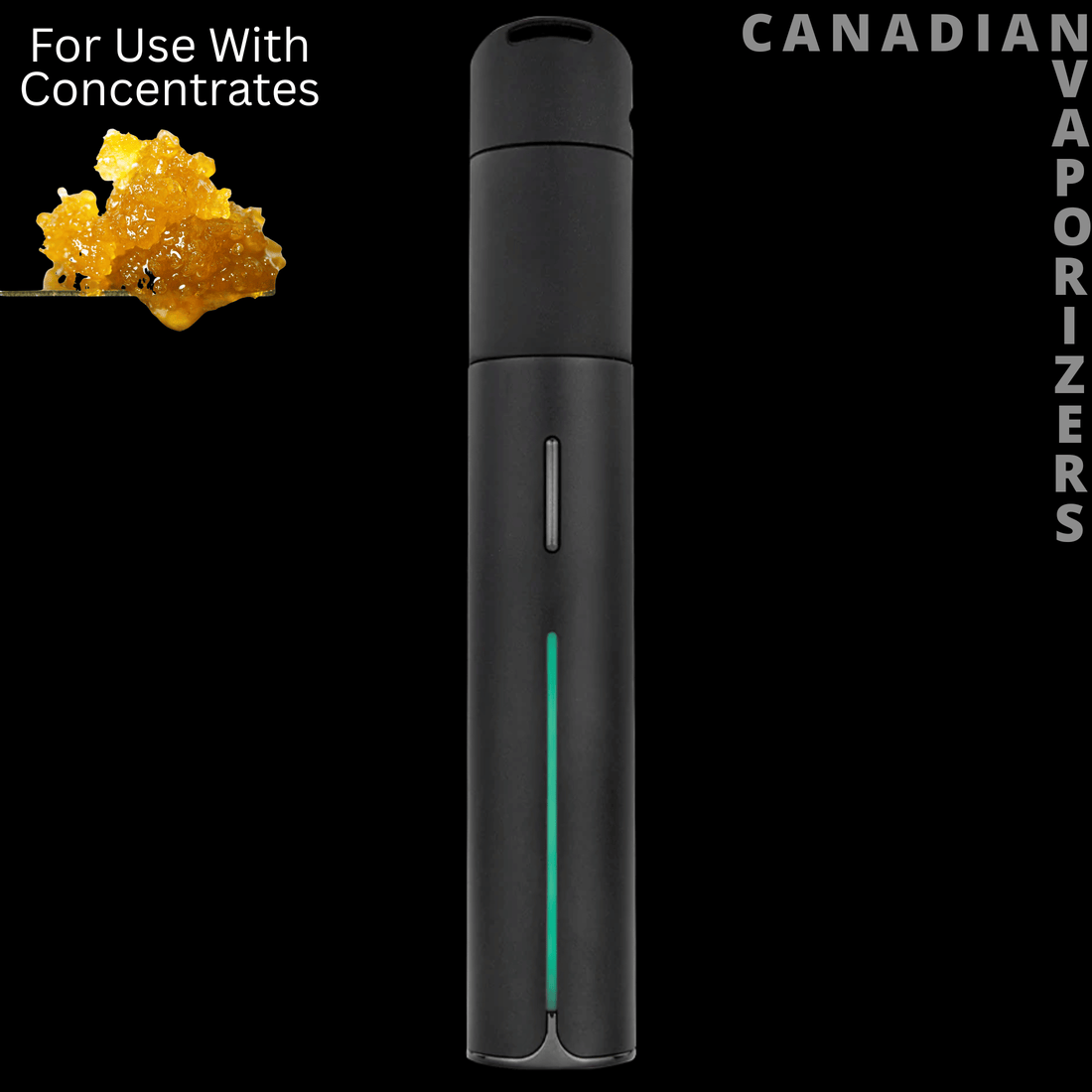
Puffco Pivot
Puffco Pivot
- Regular price
-
$204.99 CAD - Regular price
-
$219.99 CAD - Sale price
-
$204.99 CAD
Battery and Charging
Both charge with USB-C. The Ghost 2 has pass-through charging, so you can use it while it’s plugged in, and it shuts itself off after sitting idle for 15 minutes. The Pivot charges quickly, so I usually just top it up between sessions instead of running it all the way down.
Cleaning and Maintenance
Ghost 2:
- Pull off the mouthpiece and silicone top, remove the built-in airflow regulator, and clean those parts with isopropyl alcohol.
- For the eChamber, heat it for 3 to 5 seconds and soak up the residue with a dry cotton swab.
- Use a swab dipped in iso on the bottom and side walls.
- Let everything dry before you put it back together.
If you notice less vapour or install a new eChamber, Dr Dabber says to calibrate the device. With the Ghost 2 off and at room temperature, click 4 times and hold for 8 seconds. It flashes green 3 times when calibration works.
Pivot: Wipe the 3D Chamber with a cotton swab in a circular motion while it’s still warm. I clean it with a cotton tip every 2 to 3 hits, and I’ve used the same chambers for months.
For a deep clean, remove the chamber and soak it in 90%+ isopropyl alcohol for 20 minutes, then let it air-dry completely. Never rinse it with water. When it’s time for a new one, replacement chambers are in our Puffco Pivot parts.

Portability
Both fit easily in a pocket and are made to carry every day. One thing to keep in mind with the Pivot is that it gets hot if you take hits back to back on the higher settings. Puffco also recommends not running more than four heat cycles in a row.
Warranty
Both come with good manufacturer warranties, and both brands have good warranty processes. On the Ghost 2, Dr Dabber covers the battery, charging cable and electrical components. You need to register it with Dr Dabber to activate the warranty. The eChamber and mouthpiece aren’t covered, so plan on replacing the chamber over time.
We’re an authorized dealer for both Puffco and Dr Dabber, so you get full manufacturer warranty support either way.
Pros and Cons
Dr Dabber Ghost 2
Pros:
- Smooth, laid-back hits
- Three heating modes to shape your session
- 360-degree radial sidewall heating
- Pass-through charging
Cons:
- The small chamber opening makes loading harder
- Lighter hits than the Pivot at similar temperatures
- The two lowest settings are too light for me
Puffco Pivot
Pros:
- Bigger hits
- Open chamber that’s easy to load
- Simple controls with Boost Mode
- Quick top-up charging
- Chambers last a long time with regular cleaning
Cons:
- Gets hot with back-to-back hits on the higher settings
- The lowest setting starts at 500°F
- No heating modes like the Ghost 2
Final Verdict
For most people, I’d choose the Pivot. It hits bigger, it’s easier to load, and the controls are simpler.
Buy the Puffco Pivot if you want bigger hits and an easy, open chamber. Buy the Dr Dabber Ghost 2 if you want a chill, laid-back dab pen with smoother hits and heating modes to play with.
If you want app control, look at the Focus V Aeris. It’s the only one of the three that connects to an app, and it lands between these two for me. My Puffco Pivot vs Focus V Aeris comparison breaks it down.
For a full breakdown of the Pivot, read my Puffco Pivot Dab Pen Review. To see how the brands stack up overall, check out Puffco vs Dr Dabber vs Focus V. You can also browse all Puffco vaporizers and accessories or Dr Dabber vaporizers and accessories.
FAQ
Which is better, the Dr. Dabber Ghost 2 or the Puffco Pivot?
For me, the Pivot. It hits bigger at similar temperatures, and its open chamber is easier to load. The Ghost 2 is the better pick if you want a chill, laid-back session.
Which hits harder?
The Pivot. Even at similar temperatures, it gives bigger hits than the Ghost 2.
Which is easier to load?
The Pivot. Its 3D Chamber is open and easy to drop a dab into. The Ghost 2’s eChamber has a small opening, so loading takes a bit more care.
What temperature should I use on the Ghost 2?
Start on Cyan (480°F). It’s Dr Dabber’s recommended setting and the lowest I typically use. Blue and Purple are very light.
Do the Ghost 2 and Pivot connect to an app?
No. Both are controlled with a single button. If you want app control in a portable, the Focus V Aeris connects to the Focus V app.
Can I use the Ghost 2 while it’s charging?
Yes. The Ghost 2 has pass-through charging, so you can use it while it’s plugged in.
Which has the better warranty?
Both have good warranties and warranty processes. The Ghost 2’s warranty covers the battery, charging cable and electrical components, and you need to register it with Dr Dabber to activate it.
Where can I buy the Puffco Pivot in Canada?
Right here at Canadian Vaporizers. We’re an authorized dealer for Puffco and Dr Dabber, so both come with full manufacturer warranty support.


